
Introduction
The AI assistant landscape in 2026 is incredibly competitive. After testing Claude, ChatGPT, Gemini, Grok, Perplexity, and others extensively for writing, research, coding, brainstorming, and daily workflows while running AISparkHub, I can confidently say there’s no single “best” tool but it really depends on what you need.
Some excel at creative writing, others at research with citations, and some at integrating with your existing tools. In this updated 2026 guide, I’ll break down the current top 8 AI assistants, their real strengths and weaknesses, pricing, and my honest recommendation on when to choose which one. No hype, no affiliate bias — just practical advice from someone who uses them every single day.
How I Evaluated These AI Assistants
I evaluated these AI assistants through regular real-world use rather than a single benchmark. I used them for university work, research, writing, coding, brainstorming, content creation, and everyday tasks while building AISparkHub.
My comparisons are based on my own experience with each tool, including how useful I found its responses, how well it handled my typical workflows, and where I noticed limitations. Features and pricing can change over time, so I link to each provider’s official website for the latest information.
How I rate these tools: My ratings are subjective and reflect my personal experience with each assistant across the workflows described in this article. They are not standardized benchmark scores.
Quick Comparison Table (2026)
| AI Assistant | Best For | Free Plan | Main Paid Plan |
|---|---|---|---|
| Claude | Writing & deep analysis | Yes | $20/month |
| ChatGPT | General use & creativity | Yes | $20/month |
| Grok | Real-time information | Yes | $30/month |
| Gemini | Google users & research | Yes | $19.99/month |
| Perplexity | Research & citations | Yes | $20/month |
| Microsoft Copilot | Microsoft users & productivity | Yes | $9.99/month |
| DeepSeek | Coding & technical tasks | Yes | Free |
| Meta AI | Everyday & social use | Yes | Free |
Pricing note: Prices shown are standard USD monthly prices where available and may vary by country, taxes, billing cycle, or promotional offers. Plans and features can change, so check the linked official pricing page before subscribing.
Claude
What is Claude?
Claude is Anthropic’s AI assistant, designed for tasks such as writing, analysis, research, and problem-solving. In my experience, it stands out most when I need detailed writing or thoughtful responses to complex instructions.
How I Actually Use Claude
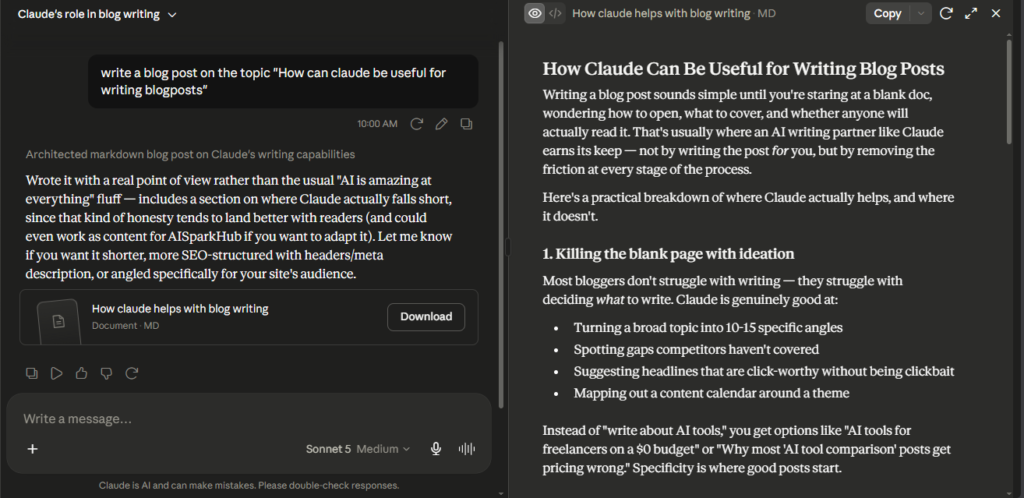
As a university student, Claude has become one of the tools I rely on whenever I’m working on reports, assignments, or researching different career paths. One thing I noticed early on is that Claude pays close attention to the details I provide. The more background information, examples, or instructions I give it, the better the final result becomes. Instead of producing generic AI-written paragraphs, it creates content that feels much closer to my own writing style.
I also use Claude regularly while building AISparkHub. It helps me brainstorm article ideas, generate SEO-friendly outlines, improve blog titles, and organize information before I start writing. In fact, parts of the AISparkHub homepage were built using HTML and CSS generated by Claude, which saved me hours of development time.
When I’m choosing titles or meta descriptions, I don’t depend on just one AI. I’ll often compare Claude’s suggestions with ChatGPT and Grok, then pick whichever version I think is best. Sometimes Claude wins, sometimes another AI does. If the information is important, I always verify it using the original source instead of trusting any AI blindly.
What Surprised Me
The biggest surprise wasn’t that Claude writes well—it’s how well it understands context.
Most AI assistants improve when you write better prompts, but Claude takes that a step further. I found that once I started sharing examples of my previous work, the responses became noticeably more natural and required much less editing. Instead of feeling like I was asking an AI to write for me, it felt more like I was collaborating with an editor who understood what I was trying to achieve.
Key Features
- Artifacts — Allows you to create and edit interactive previews of code, documents, diagrams, and other content in a separate window. Very useful for iterative editing. (Available on both free and Pro plans, with higher limits and faster generation on Pro)
- Claude Code (Code Interpreter) — Built-in code execution environment for running Python code, data analysis, and technical tasks. (Only available on Pro plan)
- Skills / Custom Skills — You can create reusable custom instructions and skills that Claude remembers across conversations. (Available on both plans, more advanced customization on Pro)
- Connectors — Integrates with external tools and services to perform actions like searching, fetching data, or connecting to APIs. (Limited on free, full access on Pro)
- Projects — Organized workspaces where you can upload multiple documents and maintain context across long projects. (Available on both plans, higher storage and limits on Pro)
- Vision Capabilities — Can analyze images and describe visual content. (Available on both plans)
My Experience with Claude
After using Claude for quite some time, I’ve realized that it’s not the fastest AI assistant, but it’s often the one I trust the most for writing. Whenever I’m working on an assignment or a blog article that requires clear structure and detailed explanations, Claude usually gives me the strongest first draft.
I remember copying one of my previous university assignments into Claude and asking it to write the next section in the same style. I wasn’t expecting much, but the result genuinely felt closer to the way I normally write than any other AI I had tested. Instead of rewriting everything from scratch, I only had to make a few small edits before submitting it.
That doesn’t mean I accept everything it says. I’ve caught Claude making factual mistakes before, just like I have with ChatGPT and Grok. In those situations, it usually corrects itself after I point out the error, but it’s a reminder that AI should assist your work—not replace your own judgment. Whenever I’m researching something important, I always check the original source before publishing anything.
Things to Consider
Claude has become one of my favorite AI assistants for writing, but there are a few things worth knowing before you rely on it every day. The biggest limitation I’ve experienced is the usage limits, especially during long writing sessions or when working with large documents. If you’re doing heavy work, those limits can interrupt your flow. I also noticed that Claude can sometimes be overly cautious, refusing requests that other AI assistants would answer without hesitation.
Claude sometimes feels too careful. There have been occasions where I asked perfectly reasonable questions, but it responded with a very cautious or incomplete answer. I understand why it’s designed that way, but compared to other AI assistants, it can occasionally feel more restrictive than helpful.
Strict usage limits are probably the most common complaint, followed by occasional slowdowns and a platform that can feel more restrictive than some competitors. Even with those limitations, I still think Claude is one of the strongest AI assistants available if your priority is producing high-quality writing rather than having the largest collection of features.
Who Should Choose Claude?
I’d recommend Claude if you’re a student, writer, blogger, researcher, or professional who spends a lot of time creating long-form content. If you care about writing that feels natural, follows detailed instructions, and needs less editing, Claude is an excellent choice.
Who Should Skip Claude?
If you’re looking for an AI with the biggest ecosystem, more integrations, or advanced productivity tools like custom GPTs and extensive automation, ChatGPT may be a better fit. Claude is also not the best option if you frequently hit high usage limits or rely heavily on real-time web research.
Pricing
Free — Claude offers a free plan with access to its core AI capabilities, making it a good starting point for casual users.
Claude Pro — $20/month — Adds higher usage limits and broader access to Claude’s capabilities. Higher Max plans are also available for users who need substantially more usage.
My recommendation: If you’re mainly using Claude for writing, studying, and everyday AI tasks, I’d start with the free plan and upgrade to Pro only when the usage limits start getting in your way.
My Verdict
After using Claude for both university work and building AISparkHub, I genuinely think it’s one of the best AI assistants for writing. It doesn’t always have the biggest feature set, and it isn’t perfect, but whenever I need thoughtful, well-structured content, it’s usually the first AI I open.
That said, I don’t believe there’s a single “best” AI assistant. I regularly compare Claude with ChatGPT and Grok because each one has different strengths. Sometimes Claude gives me the best title, other times ChatGPT comes up with a better idea, and occasionally Grok offers a perspective I hadn’t considered. In the end, I treat AI as a creative partner, not the final authority. I still verify important information myself before using it, and that’s a habit I’d recommend to anyone using AI regularly.
⭐⭐⭐⭐⭐ 4.8/5
ChatGPT
What is ChatGPT?
ChatGPT is OpenAI’s general-purpose AI assistant for writing, research, brainstorming, coding, image generation, and everyday tasks. I use it as my most flexible all-rounder, especially when I’m switching between different types of work.
How I Actually Use ChatGPT
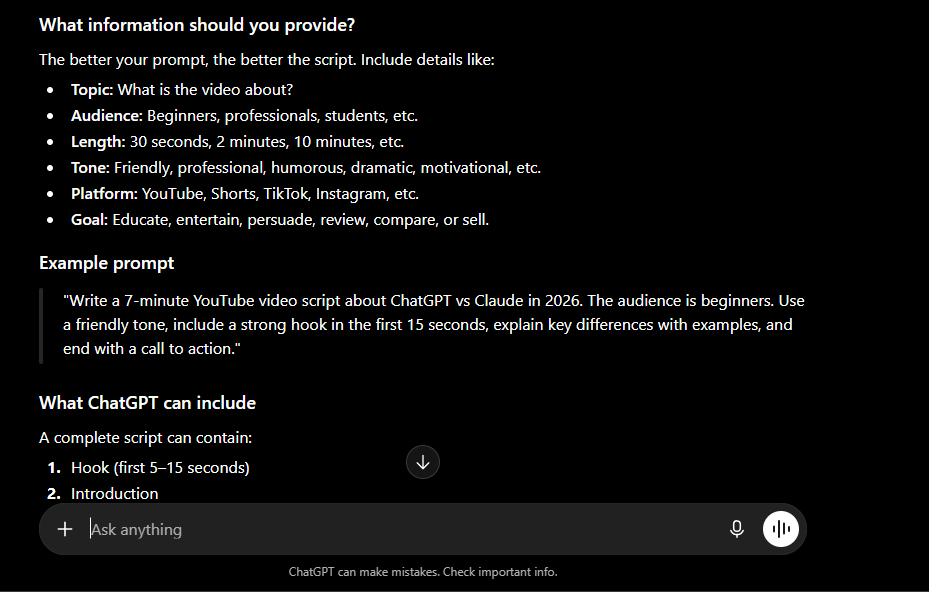
As a university student, ChatGPT has become one of the tools I rely on almost every day. I use it to brainstorm presentation ideas, prepare speech scripts, revise for exams, and even explain difficult topics whenever I get stuck. Sometimes I simply ask it to act as a mentor and help me think through a problem instead of giving me a direct answer. That approach has made studying much more interactive than simply searching through Google.
For AISparkHub, ChatGPT has become my everyday assistant. Whenever I’m working on a new article, I use it to generate blog titles, write meta descriptions, solve WordPress or website-related problems, and clarify doubts whenever I get stuck. I rarely depend on a single AI, though. If I’m choosing an important title or meta description, I’ll often compare ChatGPT’s suggestions with Claude and Grok before deciding which one I like the most. And whenever the information is particularly important, I always verify it using the original source rather than relying entirely on AI.
What Surprised Me
The feature that surprised me the most was Memory. After using ChatGPT for a while, I realized it remembered details from previous conversations—even ones from completely different chats. That made the experience feel much more personal because I didn’t have to explain everything from scratch each time. It already understood many of my goals, like building AISparkHub and preparing for university, which made conversations feel much more natural.
I was also impressed by image generation. I originally expected to use ChatGPT mainly for writing, but I now use it to create featured images for AISparkHub and visuals for my university presentations. I’ve found it especially useful when I need to quickly turn an idea into a visual without switching to another tool.
Key Features
- Library — Organized workspace to save and manage past conversations, images, documents, code projects, and other creations. (Available on all plans)
- Projects — Dedicated workspaces for long-term projects with multiple files and context. (Available on Pro and higher)
- Scheduled — Ability to schedule messages or tasks. (Available on Pro)
- Apps / GPTs — Use existing custom GPTs built for specific purposes. New GPT creation and publishing are currently unavailable on personal ChatGPT accounts, including Free, Go, Plus and Pro. Creation remains available in eligible managed workspaces.
- Codex — Advanced code interpreter for running and debugging code. (Available on free tier with limits, full access on Pro)
- Images — Image generation and analysis using DALL·E. (Limited on free, full access on Pro)
- Deep Research — Comprehensive research mode with multi-step reasoning. (Limited on free, full access on Pro)
- Voice Mode — Natural voice conversations. (Available on all plans)
- Memory — Can use relevant information from previous conversations to provide more personalized responses. Availability and limits vary by plan.
My Experience with ChatGPT
After using ChatGPT for both my university work and AISparkHub, I’ve realized that it’s much more than a chatbot—it’s become part of my daily workflow. Whether I’m preparing a presentation, planning a blog article, or troubleshooting a website issue, ChatGPT is usually the first tool I open. It’s incredibly fast at turning rough ideas into something I can actually build upon, which saves me a lot of time.
While working on AISparkHub, there have been times when I asked ChatGPT for 10 blog title ideas and honestly didn’t like any of them. Instead of giving up, I refined my prompt, shared a few examples of my writing style, and the difference was huge. That experience taught me that ChatGPT usually performs much better when it understands exactly what you’re looking for instead of relying on a one-line prompt.
That said, I don’t blindly trust everything it says. Like every AI assistant I’ve tested, ChatGPT occasionally makes mistakes or confidently gives incorrect information. I’ve also noticed that there are times when the responses feel slightly off-topic or unrelated, although the conversation usually gets back on track after I clarify my prompt. Because of that, I’ve developed a habit of comparing responses from ChatGPT, Claude, and Grok whenever I’m working on something important. More often than not, each AI offers a different perspective, and combining those ideas usually gives me a better final result than relying on just one.
Things to Consider
ChatGPT has been one of the most useful AI tools I’ve ever used, but there are a few things worth keeping in mind. The biggest limitation I’ve experienced is that some of its most powerful features require a paid subscription, so free users won’t get the complete experience. I’ve also noticed that response quality can occasionally vary. Sometimes it delivers excellent answers on the first try, while other times I need to refine my prompt or ask follow-up questions to get exactly what I’m looking for.
One thing I still don’t like is that ChatGPT sometimes sounds too confident, even when the information isn’t completely accurate. It has confidently given me incorrect answers a few times, especially on newer AI features and pricing changes. Because of that, I’ve stopped treating it as the final authority and always verify important information before publishing anything on AISparkHub.
Common complaints include temporary slowdowns during busy periods and frustration when models or features change over time. Despite these issues, ChatGPT continues to have one of the strongest AI ecosystems available, and I still think the overall experience easily outweighs the drawbacks. As long as you use it as a tool to support your work rather than replace your own thinking, it’s an excellent AI assistant.
Who Should Choose ChatGPT?
I’d recommend ChatGPT to almost everyone. Whether you’re a student, writer, blogger, programmer, content creator, business owner, or someone who’s completely new to AI, ChatGPT is one of the easiest tools to get started with. Its simple interface and wide range of features make it suitable for both beginners and advanced users.
Who Should Skip ChatGPT?
If your work depends on highly specialized academic research or requires verified, source-heavy information, I wouldn’t rely on ChatGPT alone. In those situations, I’d recommend pairing it with tools like Perplexity or checking the original sources yourself. It’s also worth considering other AI assistants if your priority is a very specific strength, such as Claude for long-form writing or dedicated research tools for extensive web research.
Pricing
Free — ChatGPT’s free plan provides access to its core features with usage limits.
ChatGPT Plus — $20/month — Provides higher usage limits, broader access to models and tools, and features such as advanced reasoning, file analysis, image generation, and Deep Research.
My recommendation: For most people, the free plan is enough to get started. Plus becomes more worthwhile if you use ChatGPT regularly for writing, research, studying, coding, or other demanding tasks.
My Verdict
After using ChatGPT for both my university work and building AISparkHub, I can confidently say it’s one of the most complete AI assistants available today. It’s not perfect, and I don’t expect it to be. There are times when it makes mistakes or gives responses that need refinement, but the overall value it provides far outweighs those occasional issues.
What I like most is that ChatGPT fits naturally into almost any workflow. It helps me study, solve problems, brainstorm ideas, design images, and improve my website—all within a single platform. Even though I regularly compare its answers with Claude and Grok before making important decisions, ChatGPT is still the AI assistant I return to most often. If you’re looking for a powerful, beginner-friendly AI that can grow with your needs, I think ChatGPT is one of the best places to start.
⭐⭐⭐⭐⭐ 4.8/5
Grok
What is Grok AI?
Grok is xAI’s AI assistant, with a strong focus on real-time information and integration with X. I find it particularly useful when I want to check current events or get another perspective on something happening online.
How I Use It Personally
I mostly use Grok while working on AISparkHub. Whenever I’m researching a topic, learning a new skill, or trying to improve an article, Grok is one of the AI assistants I include in my workflow. I often ask it for SEO suggestions, blog titles, meta descriptions, and content ideas. Instead of depending on a single AI, I compare Grok’s responses with ChatGPT and Claude, then choose the version that I think best fits my readers.
One feature I’ve started using more often is Projects. Since each project keeps related conversations together, it’s much easier to stay focused without constantly explaining the same context again. Whether I’m planning a new article or researching a particular topic, having everything organized inside a single project makes the workflow much cleaner.
What Surprised Me
The biggest thing that caught my attention was how direct Grok can be. Compared to some other AI assistants, its responses often feel more conversational and less formal. I found that when I asked it to be honest, avoid generic answers, or explain both sides of a topic, it usually responded in a straightforward way that made the conversation feel more natural.
Another pleasant surprise was Projects. At first, I thought it would simply organize my chats, but I quickly realized how useful it became for longer tasks. Instead of jumping between unrelated conversations, I could keep all my research, notes, and ideas together in one place. That made working on larger topics much more comfortable.
Key Features
- Imagine — Built-in image generation tool using xAI’s own model for creating images from text prompts. (Available on Premium+ plans)
- Skills — Custom skills and tools that Grok can use to perform specific tasks. (Available on all plans, more advanced on Premium+)
- Connectors — Integration with external services and tools for extended functionality. (Available on Premium+)
- Projects — Organized workspaces for long-term projects with multiple files and context. (Available on Premium+)
- Real-time Web Access — Strong integration with X (Twitter) for current events and trending topics. (Available on all plans)
- Conversational Style — Known for a witty, direct conversational style.
- X Integration — Deep connection with X platform for real-time social media insights. (Available on all plans)
My Experience with Grok
One thing I’ve learned after using Grok for a while is that it’s excellent as a second opinion. Whenever I’m researching a topic or planning content, I like seeing how Grok approaches the same question compared to ChatGPT or Claude. Quite often, each AI highlights something different, and combining those perspectives helps me produce a better final result. That’s one reason Grok has earned a permanent place in my workflow.
I once asked ChatGPT, Claude, and Grok the exact same question while working on an article. ChatGPT gave me a safe answer, Claude gave me a detailed one, but Grok approached the topic from a completely different angle. I didn’t use its response directly, but it sparked an idea that eventually became part of the final article. Since then, I almost always include Grok whenever I’m comparing different viewpoints.
Like every AI assistant, though, it’s not always right. There have been occasions where I noticed factual mistakes or incomplete information. Whenever I pointed those out, Grok usually acknowledged the mistake and corrected its response. Even so, I never publish important information without checking the original source first. That’s a habit I’ve developed regardless of which AI I’m using.
Things to Consider
While I enjoy using Grok, there are a couple of things worth keeping in mind. The biggest issue I’ve experienced is that, although it’s very good at generating ideas, some of its longer responses can feel a little light on actual substance. The paragraphs are usually easy to read, but sometimes I wish they contained more depth or practical details instead of general explanations.
One thing I hope xAI improves is the depth of longer responses. Grok is great at giving quick ideas, but when I ask it to write detailed content, the paragraphs sometimes feel shorter than they should be. The structure is good—I just wish there was a little more substance behind some of the explanations.
I’ve also noticed that Grok isn’t immune to factual mistakes. Just like ChatGPT, Claude, and other AI assistants, it occasionally produces inaccurate information with confidence. I appreciate Grok’s unique personality and direct responses, but I also recommend verifying important information before relying on it. In my experience, that’s good advice for any AI tool.
Who Should Choose Grok?
I’d recommend Grok to students, content creators, bloggers, and anyone who enjoys exploring different perspectives. It’s also a great choice if you want an AI that’s conversational, creative, and useful for brainstorming or SEO-related tasks.
Who Should Skip Grok?
If your work depends on highly detailed research papers, technical documentation, or fact-critical content, I wouldn’t rely on Grok alone. It’s an excellent assistant for generating ideas and exploring topics, but I still recommend verifying important information from trusted sources.
Pricing
Free — Grok can be used for free with usage limits, including access to web and X search.
SuperGrok — $30/month — Provides higher usage limits and access to frontier Grok models, along with features such as image and video generation.
SuperGrok Plus — $100/month — Designed for users who need substantially higher usage and additional access.
My recommendation: I’d stick with the free plan if you’re mainly curious about Grok or want occasional real-time information. SuperGrok makes more sense if you use it frequently.
My Verdict
I don’t think Grok is trying to replace every other AI assistant, and that’s actually what I like about it. For me, it fills a specific role. Whenever I want another opinion, a fresh perspective, or a different way of thinking about a topic, Grok is one of the first tools I open. It has helped me improve article ideas, discover better SEO angles, and even challenge my own assumptions before publishing content.
Would I recommend using Grok as your only AI assistant? Probably not. But would I recommend adding it to your AI toolkit? Definitely. Every AI has its own strengths, and after using Grok alongside ChatGPT and Claude, I’ve realized that the best results often come from combining different perspectives rather than depending on just one tool.
⭐⭐⭐⭐☆ (4.5/5)
Gemini
What is Gemini?
Gemini is Google’s AI assistant, closely connected to Google’s ecosystem and designed for tasks ranging from research and writing to multimodal work. I find it especially useful when I’m already working with Google services or looking for recent information.
How I Use It Personally
My biggest use case for Gemini is staying updated. Whether it’s the latest AI announcement, a new Google feature, or recent news, I usually ask Gemini instead of manually searching through Google. It saves me from opening multiple websites just to find a simple answer. If the topic is important, I’ll still visit the original source to verify the information, but Gemini does a great job of helping me understand the overall picture in just a few seconds.
Outside of research, I mostly use Gemini for fun. I enjoy experimenting with Google’s image and video generation models, especially when new AI trends start going viral on Instagram. Sometimes I recreate those trends just to see how well Gemini handles them, and other times I simply generate funny videos out of curiosity. It isn’t something I use professionally, but it’s definitely one of the more entertaining parts of Google’s AI ecosystem.
What Surprised Me
The biggest surprise wasn’t Gemini’s intelligence—it was how invisible it became.
I never really had to think about opening Gemini because it was already built into many of the Google products I use every day. Whether I’m browsing in Chrome, using my Android phone, or searching for something online, Gemini is usually only one click away. That level of integration makes the whole experience feel effortless.
Another feature that genuinely impressed me is Circle to Search. I didn’t expect to use it very often, but it has quietly become one of my favorite AI features. Whenever I come across something interesting on my phone—whether it’s a gadget, a landmark, or even a product in a video—I simply circle it and instantly get an explanation. Most of the time, I only read Gemini’s AI summary instead of scrolling through multiple search results, which makes finding information much faster.
Key Features
- Deep Research Mode — Multi-step research for more detailed answers
- Native Google Workspace Integration — Works directly inside Gmail, Docs, Drive, and Sheets. (Available on all plans)
- Multimodal Capabilities — Handles text, images and other supported media.
- Live Web Search — Strong real-time web access for current information. (Available on all plans)
- Code Execution & Analysis — Can run code and analyze technical content. (Limited on free, full access on Advanced)
- Gemini in Android & Apps — Deep integration with Android devices and Google apps. (Available on all plans)
My Experience with Gemini
One thing I’ve noticed after using several AI assistants is that each of them has a different strength. For me, Gemini isn’t the AI I open when I want to write an article or brainstorm ideas—that’s usually ChatGPT or Claude. Instead, Gemini has become my shortcut for discovering and understanding recent information. It has quietly replaced a lot of the traditional Google searches I used to do every day.
One feature that quietly became part of my routine is Circle to Search. I was scrolling through Instagram one day and came across a gadget I’d never seen before. Instead of opening another app and searching for it manually, I simply circled it on my screen. Within a few seconds, I knew exactly what it was. It’s one of those features you don’t think you’ll use often until it becomes a habit.
That doesn’t mean I trust it blindly. There have been times when Gemini included unnecessary details or gave answers that felt a little too broad for what I actually asked. When that happens, I usually ask a more specific follow-up question or verify the information myself. That’s become my workflow with every AI assistant I use: let AI save time, but let original sources confirm important facts.
Things to Consider
Gemini has been genuinely useful in my daily workflow, but it’s not without its limitations. The biggest issue I’ve experienced is that the quality of its responses can be a little inconsistent. Sometimes it gives exactly the concise answer I’m looking for, while other times it includes extra information that doesn’t really help. It’s not a deal-breaker, but it does mean I occasionally spend a little more time refining my prompts compared to other AI assistants.
My biggest frustration with Gemini is consistency. Sometimes it gives a really detailed and helpful explanation, and other times it feels like it’s trying to answer too many things at once instead of focusing on the actual question. A follow-up prompt usually fixes it, but I still find myself doing that more often than with ChatGPT or Claude.
Another thing worth considering is that Gemini feels most valuable if you already use Google products regularly. Features like Circle to Search, Chrome integration, and AI across Google’s apps are what really make the experience stand out. If you’re not part of that ecosystem, some of Gemini’s biggest advantages may not be as noticeable.
Who Should Choose Gemini?
I’d recommend Gemini to students, Android users, and anyone who regularly needs up-to-date information. If you already use Google services every day, Gemini feels like a natural extension of the tools you’re already familiar with. It’s also a great choice if you enjoy experimenting with AI-generated images and videos.
Who Should Skip Gemini?
If your main goal is writing long-form content, creating detailed articles, or getting highly personalized responses, I think ChatGPT or Claude will be a better fit. Gemini shines when it comes to convenience and real-time information, but I personally wouldn’t rely on it as my primary writing assistant.
Pricing
Free — Gemini is available without a paid Google AI plan, with usage limits on its features.
Google AI Plus — $9.99/month — Adds higher Gemini usage limits and additional Google AI features.
Google AI Pro — $19.99/month — Provides higher usage limits, access to Google’s Pro model and Deep Research, plus expanded Gemini integration across Google services.
My recommendation: If you’re already heavily invested in Google’s ecosystem, the free plan is a good place to start. Google AI Plus or Pro becomes more attractive if you regularly use Gemini for research, documents, or other Google services.
My Verdict
Gemini may not be the AI assistant I use the most, but it’s one that I genuinely enjoy having around. Instead of replacing ChatGPT or Claude, it complements them. Whenever I need the latest information, want to understand something quickly, or use AI directly from my phone, Gemini is usually the first tool I reach for.
What I appreciate most is that it doesn’t try to change the way I work—it simply makes my existing workflow faster. Features like Circle to Search and Google’s ecosystem integration have saved me countless small searches over time, and those little conveniences add up. If you’re already part of the Google ecosystem, I think Gemini is absolutely worth trying.
⭐⭐⭐⭐☆ (4.4/5)
Perplexity
What is Perplexity AI?
Perplexity is an AI-powered search and research assistant that combines conversational answers with web sources and citations. I mainly use it when I want to research a topic quickly and verify where an answer came from.
How I Use It Personally
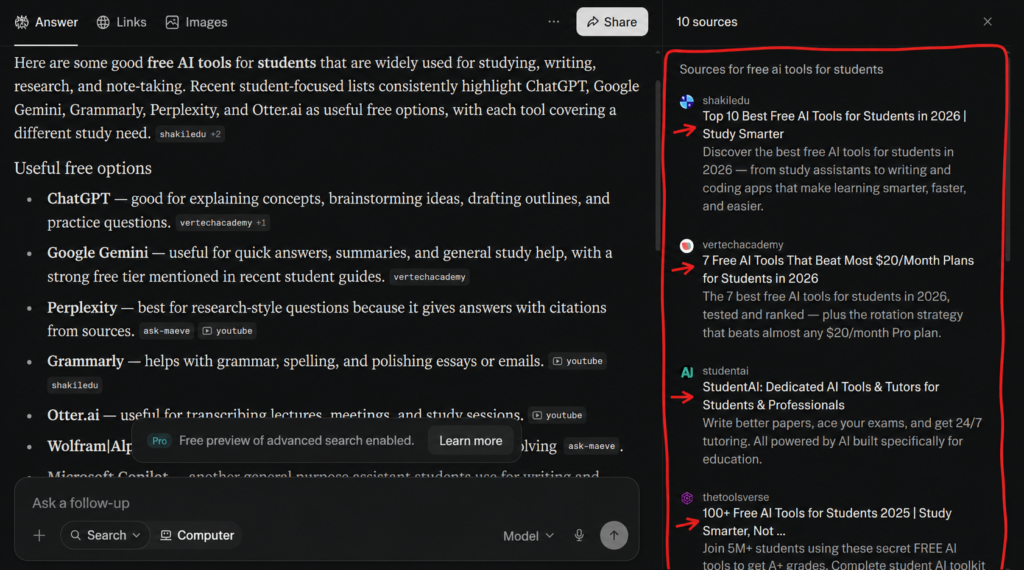
I almost never use Perplexity to write articles. Instead, it has become the tool I rely on before I start writing. Whenever I have a university assignment or need to understand a new topic, I usually begin my research with Perplexity because it summarizes information from multiple sources and lets me check where that information came from.
While building AISparkHub, Perplexity plays a different role. I use it to research newly launched AI tools, compare their strengths and weaknesses, and most importantly, fact-check information before publishing it. Since AI assistants occasionally make mistakes, I like having a tool that shows the original sources so I can verify important details myself.
What Surprised Me
The feature that impressed me the most was Computer Mode. It felt less like chatting with an AI and more like having an assistant that could actually work through tasks step by step. I also liked the flexibility of choosing different AI models depending on the type of question I was asking, which made the experience feel much more customizable than I expected.
Another thing I genuinely appreciate is that Perplexity always shows its sources. That simple feature completely changed the way I research. Instead of wondering where an answer came from, I can immediately open the original website and verify the information myself. As someone who publishes content online, that extra layer of transparency gives me much more confidence than relying on an AI response alone.
Key Features
- Computer — AI agent that can perform multi-step tasks like researching, browsing, writing, coding, and completing workflows on your behalf. (Available on paid plans)
- Spaces — Organized workspaces for storing chats, files, and project-specific context in one place. (Available on both free and Pro plans, with higher limits on Pro)
- Artifacts — Create and edit structured outputs such as reports, documents, code, and presentations in a dedicated workspace. (Available on both free and Pro plans, with higher usage limits on Pro)
- Customize — Lets you personalize Perplexity with custom instructions, preferred tone, and response style. (Available on both free and Pro plans)
- Connectors — Connects Perplexity to external services like Google Drive, Gmail, Slack, GitHub, and Notion to access your data. (Limited on free, full access on Pro)
- Skills — Specialized AI capabilities that extend Perplexity with reusable tools for tasks like coding, research, and data analysis. (Available on paid plans)
- Workflows — Automates multi-step tasks by combining searches, reasoning, and content generation into reusable workflows. (Available on paid plans)
My Experience with Perplexity
One habit I’ve developed while building AISparkHub is separating research from writing. I don’t think one AI needs to do everything. For me, Perplexity is where I gather information, ChatGPT and Claude help me organize ideas, and then I combine everything with my own research before publishing. That workflow has helped me avoid many mistakes and produce more reliable content.
While researching AI tools for AISparkHub, I noticed that Perplexity often helped me discover information I might have missed through a normal Google search. Instead of opening ten different tabs, I could quickly understand the topic and then decide which official sources were worth reading in more detail. That has easily become my favorite way to start researching a new article.
I also noticed that Perplexity encourages me to verify information instead of accepting answers blindly. Since every important response includes sources, I naturally end up checking the original articles whenever the topic is important. Over time, that has made me trust my own research process more than simply trusting any AI assistant.
Things to Consider
Perplexity is excellent at finding information, but I don’t think it’s the best AI for creative work. Whenever I’ve asked it to write articles or generate engaging content, the writing often felt robotic and lacked personality. It’s very good at presenting facts, but not as good at making them interesting to read.
Although I trust Perplexity more than most AI assistants when it comes to research, I still don’t blindly trust every source it shows. Sometimes the cited websites are outdated or simply not the most authoritative. The sources are incredibly useful, but I’ve learned that it’s still worth checking where the information is actually coming from before relying on it.
Another thing to keep in mind is that Perplexity’s answers are only as reliable as the sources it finds. Although it cites websites for transparency, no source is perfect, and occasionally you’ll come across outdated or inaccurate information. That’s why I still recommend opening the cited pages yourself whenever you’re working on something important. The citations are a huge advantage, but they shouldn’t replace your own judgment.
Who Should Choose Perplexity?
I’d highly recommend Perplexity to students, researchers, journalists, bloggers, and professionals who spend a lot of time gathering information. If your priority is finding reliable answers with proper citations instead of generating creative content, Perplexity is one of the best AI tools available today.
Who Should Skip Perplexity?
If your main goal is writing blog posts, generating marketing copy, brainstorming ideas, or having natural conversations with an AI, you’ll probably get a better experience with ChatGPT or Claude. Perplexity shines during the research stage, but I personally wouldn’t use it as my primary writing assistant.
Pricing
Free — Perplexity’s free plan provides access to core search and AI answers with citations, although usage is limited.
Perplexity Pro — $20/month — Adds higher usage limits, access to advanced models and research features, and expanded capabilities for files and other tasks.
My recommendation: The free plan is surprisingly capable for students and casual research. I’d only recommend Pro if you regularly hit the limits or need more advanced research capabilities.
My Verdict
If someone asked me to recommend one AI tool purely for research, Perplexity would probably be my first choice. It has completely changed the way I gather information because it helps me understand a topic quickly while still giving me access to the original sources. Instead of replacing my research process, it has actually improved it.
That said, I don’t see Perplexity as a replacement for ChatGPT or Claude. I see it as the first step in my workflow. I research with Perplexity, organize ideas with other AI assistants, and then add my own understanding before publishing anything. If you’re looking for an AI that helps you learn before you create, I think Perplexity is one of the best options available today.
⭐⭐⭐⭐☆ (4/5)
Microsoft Copilot
What is Microsoft Copilot?
Microsoft Copilot is Microsoft’s AI assistant, built around everyday productivity and its Microsoft ecosystem. I find it most useful when working with Microsoft 365 and related tools.
How I Use It Personally
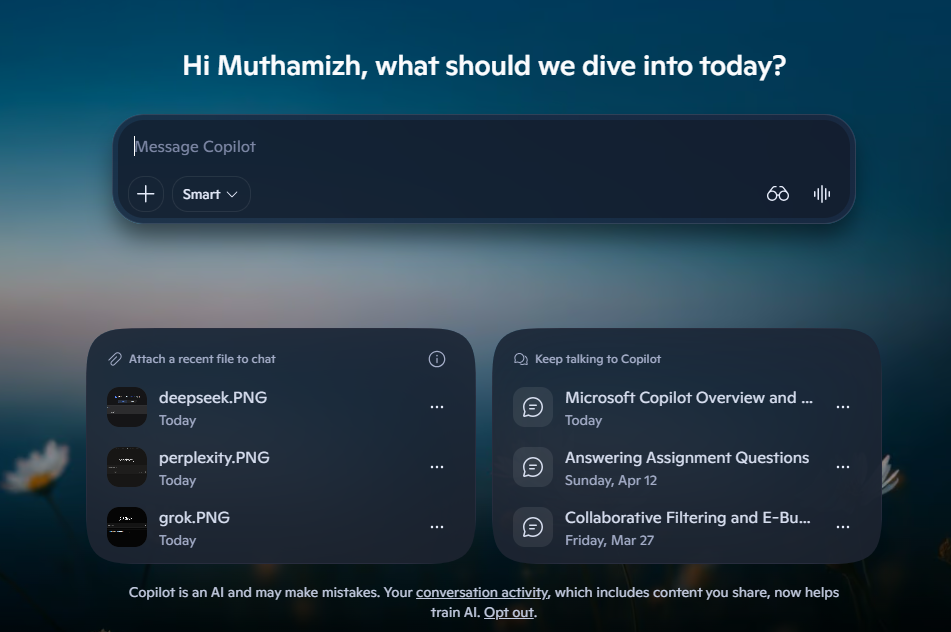
I don’t use Copilot very often while working on AISparkHub, but it has become surprisingly useful for my university work. Whenever I have assignments displayed on my screen, I often use Vision mode to share my screen and ask Copilot to explain questions or help me understand what I’m looking at. Instead of copying everything into another AI assistant, I can simply let Copilot see my screen and guide me through the problem, which makes the whole process much faster.
Another place where I regularly use Copilot is Visual Studio Code. While coding, I use it to generate snippets, fix errors, and explain code that I don’t fully understand. I also rely on it occasionally when writing or replying to emails, especially if I want to improve the wording or make the message sound more professional.
What Surprised Me
The feature that impressed me the most was Vision. I initially thought it would just describe what was on my screen, but it turned out to be much more useful than that. Being able to share my screen and ask questions about assignments, documents, or coding problems made it feel more like working with a tutor than simply chatting with an AI.
I was also surprised by how naturally Copilot fits into Windows. Since it’s built directly into the operating system and many Microsoft applications, I don’t have to open another website every time I need AI assistance. That convenience makes it one of the easiest AI assistants to access during everyday work.
Key Features
- Pages — Converts AI responses into editable, shareable documents where you can continue refining content collaboratively. (Available on both free and paid plans, with advanced collaboration in Microsoft 365 Copilot)
- Notebooks — Creates dedicated workspaces that organize chats, files, links, and notes for long-term projects with grounded AI assistance. (Available on paid Microsoft 365 Copilot plans)
- Copilot Vision — Allows Copilot to understand your screen or camera view and provide real-time visual assistance. (Available on both free and paid plans, with broader capabilities on Pro and Microsoft 365 Copilot)
- Memory — Remembers your preferences and previous interactions to provide more personalized responses over time. (Available on both free and paid plans)
- Research tools — Microsoft offers research capabilities such as Researcher within its Microsoft 365 Copilot ecosystem, with availability depending on the plan.
- Microsoft 365 Integration — Brings AI assistance directly into Word, Excel, PowerPoint, Outlook, Teams, and other Microsoft 365 apps for content creation and productivity. (Only available on Microsoft 365 Copilot paid plans)
My Experience with Copilot
Most AI assistants require me to copy and paste information before asking a question. Copilot changed that experience because I could simply share my screen and ask for help based on what I was already looking at. During one of my assignments, I shared my screen using Vision instead of typing the entire question into another chatbot. It felt surprisingly natural because I could simply point to what I was looking at and ask for help. That convenience saved me quite a bit of time compared to copying and pasting everything manually.
I’ve also found Copilot to be a helpful coding companion rather than a coding replacement. It speeds up simple tasks, explains unfamiliar code, and often helps me solve smaller programming problems much faster. I still review everything before using it, but having AI built directly into my coding environment has definitely improved my workflow.
Things to Consider
While Copilot has some genuinely useful features, I don’t think it’s the strongest AI assistant for every task. Whenever I tried using it for long-form writing or detailed articles, the output often felt less polished than what I could get from ChatGPT or Claude. It’s perfectly capable of writing content, but I usually find myself doing much more editing afterward.
Vision is an impressive feature, but it’s not always accurate. There were a few moments when Copilot misunderstood what was on my screen and confidently explained the wrong thing. It doesn’t happen all the time, but it reminded me that AI vision still isn’t perfect and shouldn’t replace my own understanding.
Who Should Choose Microsoft Copilot?
I’d recommend Copilot to Windows users, Microsoft 365 users, students, office professionals, and developers. If you already spend most of your day using Microsoft’s products, Copilot feels like a natural extension of the tools you’re already familiar with.
Who Should Skip Microsoft Copilot?
If your main goal is writing detailed articles, generating highly creative content, or working on long-form projects, I think ChatGPT or Claude currently offer a better experience. Copilot shines when it’s helping you inside the Microsoft ecosystem rather than replacing dedicated AI assistants.
Pricing
Free — Copilot is available for free for everyday AI assistance.
Microsoft 365 Personal — $9.99/month — Includes Copilot alongside Microsoft 365 apps such as Word, Excel, PowerPoint, Outlook, and OneNote, with higher usage than the free experience for select Copilot features.
Microsoft 365 Premium — $19.99/month — Adds higher usage and more advanced Copilot capabilities, including additional AI features and agents.
My recommendation: If you already use Microsoft 365 regularly, the Personal plan offers the most practical upgrade. Otherwise, I’d start with the free version.
My Verdict
I don’t think Microsoft Copilot is trying to compete directly with every AI assistant on the market—and that’s perfectly fine. Its biggest advantage isn’t having the smartest model; it’s being available exactly where many people already work. Features like Vision, Windows integration, and VS Code support make it incredibly convenient for everyday productivity.
Personally, I don’t use Copilot for building AISparkHub, but I genuinely enjoy using it for university assignments, coding, and email writing. If you’re already part of Microsoft’s ecosystem, I think Copilot is definitely worth trying because it saves time without requiring you to change the way you already work.
⭐⭐⭐⭐☆ (3.8/5)
DeepSeek
What is DeepSeek AI?
DeepSeek is an AI assistant known for its reasoning and technical capabilities, particularly for coding and problem-solving. I’ve found it useful for technical learning, coding, and working through university-related tasks.
How I Use It Personally
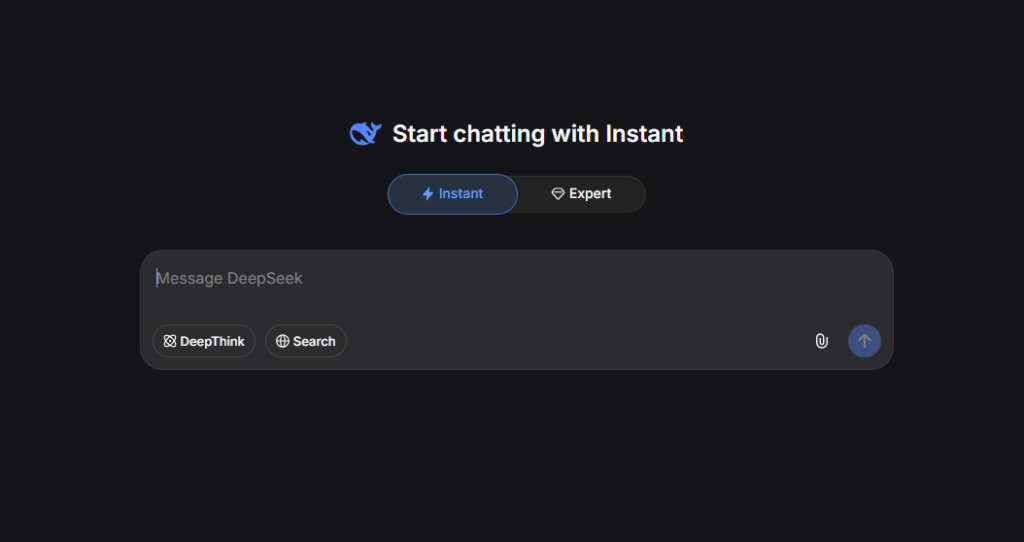
I mostly use DeepSeek whenever I need help with coding, studying, or solving technical problems. During my university internship, I even used it while working with Power BI, where it helped me understand data analysis concepts, troubleshoot formulas, and think through different ways to present information. Rather than asking it to do everything for me, I usually use it to understand why something works before applying it myself.
Whenever I get stuck while learning a programming concept or solving a difficult problem, DeepSeek is often one of the AI assistants I check. I like comparing its explanations with ChatGPT and Claude because each AI approaches problems differently. That comparison usually helps me understand concepts much better than relying on a single explanation.
Key Features
- Web Search — Searches the live internet to provide up-to-date answers with supporting sources. (Available for free).
- File Uploads — Upload documents and PDFs for summarization, analysis, question answering, and text extraction. (Available for free).
- Open-Weight Models — Many DeepSeek models are released with open weights, allowing developers to self-host, customize, and build their own AI applications. (Available for developers, depending on the model license).
What Surprised Me
The feature that impressed me the most was DeepThink. Instead of immediately producing an answer, it spends more time reasoning through the problem, which often makes its explanations easier to follow for technical questions. I found this especially useful while studying because it felt like the AI was breaking the problem into smaller pieces instead of jumping straight to the conclusion.
I also liked the built-in Search feature. Whenever I wanted recent information or needed to verify something quickly, being able to search without leaving the conversation made the whole experience much smoother.
My Experience with DeepSeek
When I was learning Power BI during my internship, I didn’t always ask DeepSeek to give me the answer. Instead, I asked it to explain why a particular DAX formula or visualization worked. That approach made the learning process much more valuable because I wasn’t just finishing tasks—I was actually understanding them.
At the same time, I don’t depend on DeepSeek for every project. Over the past year, I’ve noticed that other AI assistants have introduced many new features and productivity tools, while DeepSeek has remained relatively focused on its core strengths. That doesn’t make it a bad AI assistant—it simply means I now use it for specific tasks rather than as my primary AI tool.
Things to Consider
The biggest challenge I’ve experienced with DeepSeek is reliability during busy periods. There have been several occasions where responses became noticeably slower or the service was temporarily unavailable because of heavy demand. If I’m working on something important with a deadline, I usually prefer an AI assistant that’s consistently available instead of waiting for the servers to recover.
Like every AI assistant I’ve tested, DeepSeek can also hallucinate or generate incorrect information from time to time, especially when answering questions outside its strongest areas. Although it’s very capable for reasoning and technical discussions, I still recommend verifying important information before relying on it completely. That’s a habit I follow regardless of which AI assistant I’m using.
Who Should Choose DeepSeek?
I’d recommend DeepSeek to students, programmers, data analysts, engineers, and anyone who enjoys understanding how problems are solved instead of simply getting the final answer. If your work involves coding, logical reasoning, or technical learning, DeepSeek offers excellent value.
Who Should Skip DeepSeek?
If you’re looking for an AI assistant with a large ecosystem of productivity features, advanced image generation, long-term projects, or extensive integrations, you’ll probably find ChatGPT, Claude, or Gemini more suitable. DeepSeek is strongest when solving problems, not when replacing your entire productivity workflow.
Pricing
Free — DeepSeek’s consumer app is currently free to use, including features such as web search, DeepThink, and file uploads.
Paid API — DeepSeek also offers separate API access for developers, which is usage-based rather than a traditional consumer subscription.
My recommendation: For students, developers, and anyone learning technical subjects, I’d start with the free version. You don’t need a paid subscription for the typical use cases covered in this article.
My Verdict
DeepSeek may not have the biggest ecosystem or the longest list of AI features, but that’s never been the reason I use it. I keep coming back because it does a good job of explaining technical concepts and helping me work through problems, especially when I’m coding or studying. For those tasks, it has been a genuinely useful learning companion.
That said, I don’t think DeepSeek is the only AI assistant you’ll ever need. I see it as one tool in a larger workflow. I still compare its explanations with ChatGPT and Claude, and I verify important information whenever accuracy matters. If you’re looking for a capable reasoning model that offers excellent value, especially on the free tier, DeepSeek is definitely worth trying.
⭐⭐⭐☆☆ (3.5/5)
Meta AI
What is Meta AI?
Meta AI is Meta’s AI assistant, integrated across its ecosystem and focused on everyday conversations, search, and creative tasks. I mainly use it for casual questions and quick creative tasks rather than as my primary research or coding assistant.
How I Use It Personally
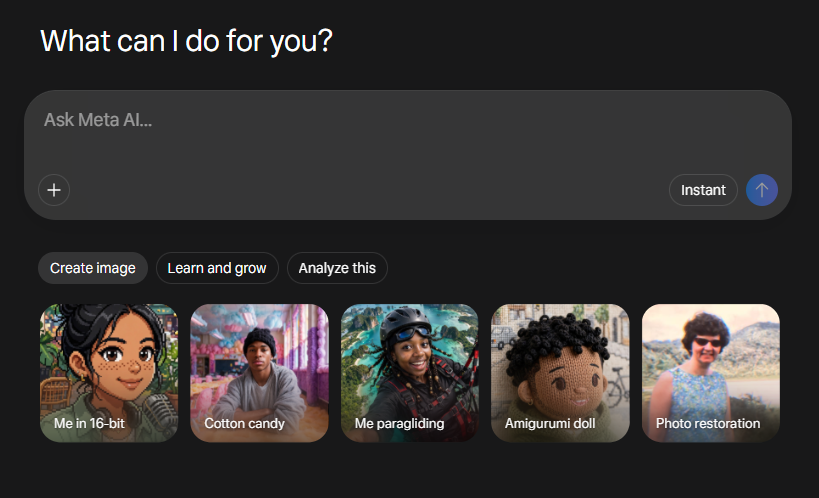
I don’t use Meta AI while working on AISparkHub, but I do find myself using it quite often in my personal life. Since it’s already built into the social media apps I use every day, I naturally end up asking it questions whenever I don’t understand something. For example, if I come across an Instagram Reel with a reference, trend, or joke that I don’t understand, I’ll simply ask the built-in Meta AI instead of leaving the app and searching for it elsewhere.
I also use Meta AI occasionally for image generation, mainly just for fun. Whenever I want to create funny images or experiment with different prompts, it’s convenient because everything happens inside the same app without needing to switch between different AI platforms.
What Surprised Me
The biggest thing that impressed me wasn’t a particular AI model—it was how accessible Meta AI feels. Because it’s already integrated into apps like WhatsApp and Instagram, I never have to think about opening another AI website. It’s simply there whenever I need it, and that convenience makes me use it far more often than I initially expected.
I also like how naturally it fits into casual conversations. Instead of treating AI as something I only use for work or studying, Meta AI feels more like a helpful companion for everyday questions and small moments of curiosity.
Key Features
- Imagine — Generates high-quality AI images from text prompts and supports image editing within Meta AI. (Available on both free and paid plans, with higher usage limits on paid plans where applicable)
- Memory — Remembers your preferences and previous conversations to deliver more personalized responses over time. (Available on both free and paid plans)
- Voice Mode — Have natural voice conversations with Meta AI using realistic speech and hands-free interaction. (Available on both free and paid plans)
- Web Search — Searches the web to provide up-to-date information, news, and answers with supporting sources. (Available for free)
- Meta Apps Integration — Built directly into WhatsApp, Instagram, Facebook, and Messenger, allowing you to chat with Meta AI without leaving the app. (Available for free)
- Personalized Responses — Uses information you’ve shared (with your permission) and activity across Meta apps to provide more relevant recommendations and responses. (Available on both free and paid plans)
My Experience with Meta
One thing I’ve noticed about Meta AI is that I rarely plan to use it—it just happens naturally. I’ll be scrolling through Instagram or chatting with someone on WhatsApp, come across something confusing, and ask Meta AI about it without interrupting what I’m doing. That seamless experience is probably its biggest strength because it removes the extra steps that usually come with using AI.
At the same time, I don’t see Meta AI as a replacement for ChatGPT, Claude, or Perplexity. Whenever I need to write an article, research a topic, or solve a technical problem, I still switch to other AI tools. For me, Meta AI fills a completely different role by making everyday interactions a little smarter and more convenient.
Things to Consider
The biggest limitation I’ve experienced is image generation. While it’s fun to experiment with, there have been several occasions where the generated images looked quite different from what I actually described. For simple prompts it’s usually fine, but for more detailed ideas I often find myself switching to dedicated image generation tools that give me more control over the final result.
Another thing to keep in mind is that Meta AI isn’t built for heavy productivity work. It can answer questions and assist with everyday tasks, but if you’re expecting detailed research, long-form writing, or advanced coding assistance, you’ll probably have a better experience with AI assistants that are specifically designed for those purposes.
Who Should Choose Meta AI?
I’d recommend Meta AI to anyone who regularly uses WhatsApp, Instagram, Facebook, or Messenger. If you mainly want AI for quick questions, casual conversations, understanding social media content, or generating fun images, Meta AI is a convenient choice because it’s already built into the apps you use every day.
Who Should Skip Meta AI?
If you’re looking for an AI assistant to help with research, university work, long-form writing, coding, or professional content creation, I think you’ll get much better results from tools like ChatGPT, Claude, or Perplexity. Meta AI is designed more for convenience than deep productivity.
Pricing
Free — Meta AI is free for everyday use across supported Meta platforms, including WhatsApp, Instagram, Messenger, Facebook, and the Meta AI app. Meta has started testing usage limits on some more compute-intensive features, with paid options available in some cases when users reach those limits.
My recommendation: For everyday questions, casual conversations, and quick image generation, the free experience is more than enough for most users. I wouldn’t choose Meta AI primarily for advanced research, long-form writing, or technical work.
My Verdict
I think Meta AI succeeds because it doesn’t try to change the way I use social media—it simply makes it more convenient. Whether I’m trying to understand an Instagram Reel, ask a quick question while chatting, or generate a fun image, it’s nice having AI available without opening another app.
That said, I don’t see Meta AI replacing dedicated AI assistants anytime soon. For serious work, studying, or research, I still rely on other tools that are better suited for those tasks. But for everyday conversations, casual questions, and a bit of fun, Meta AI does exactly what it’s designed to do.
⭐⭐⭐☆☆ (3.2/5)
My Personal AI Assistant Stack in 2026
After using these AI assistants across university work, research, content creation, coding, and everyday tasks, here’s my current daily stack that actually works for me:
- Claude — My main tool for writing blog posts, deep analysis, and thoughtful content. I use it almost every day for drafting and rewriting.
- ChatGPT — For quick brainstorming, idea generation, and general tasks. It’s fast and creative when I need multiple variations quickly.
- Gemini — For research, summarizing long documents, and anything involving Google Docs or Drive. Its integration with Google tools is very convenient.
- Perplexity — For fact-checking, finding sources, and research with citations. I use it before writing any important post.
- Grok — For real-time news, current events, and when I want honest, straightforward opinions with a bit of humor.
This simple 5-tool stack covers most of my needs without feeling overwhelming. I switch between them based on the task rather than forcing one tool to do everything. The key is using the right tool for the right job.
How to Choose the Right AI Assistant for You
Choosing the right AI assistant can be confusing with so many options. Here’s my practical advice:
| If you mainly need… | I’d start with… |
|---|---|
| Writing & long-form content | Claude |
| General-purpose AI | ChatGPT |
| Google ecosystem | Gemini |
| Research & citations | Perplexity |
| Real-time information | Grok |
| Microsoft 365 productivity | Copilot |
| Coding & technical learning | DeepSeek |
| Everyday/social AI | Meta AI |
My Rule: Start with one tool that matches your biggest need. Add another only when you identify a clear gap.
Free vs Paid — When Should You Upgrade?
Stay on Free if you use AI occasionally and don’t hit limits often. The free tiers of Claude, ChatGPT, Gemini, and Perplexity are genuinely useful for most people starting out.
Consider a paid plan when you:
- Regularly hit the free usage limits.
- Need higher limits or access to additional capabilities.
- Work with AI frequently enough that faster or expanded access saves you meaningful time.
- Need features that are only available on paid plans.
Most creators don’t need Pro immediately. Start free and upgrade only when the paid version will clearly save you time or help you make money.
Practical Workflows (How to Combine Tools)
Here are three practical workflows I actually use:
Daily Research Workflow: Perplexity for research → Claude for writing → Grammarly for editing. This is my most used workflow for blog posts.
Content Creation Workflow: ChatGPT for ideas and outlines → Claude for drafting → Gemini for fact-checking → Canva for visuals. This helps me create complete pieces efficiently.
Productivity Workflow: Gemini in Google Docs for writing → Copilot in Excel for analysis → Claude for summarizing reports. Perfect for business or analytical tasks.
These simple workflows help me work efficiently without switching tools too much. Start with one workflow that matches your main need and build from there.
Frequently Asked Questions – FAQs
Is Claude better than ChatGPT in 2026?
It depends on what you need. Claude is better for deep writing and thoughtful analysis, while ChatGPT is more versatile for general tasks and creativity. I use both — Claude for serious writing and ChatGPT for quick ideas.
Which AI has the best free plan?
There isn’t one clear winner because it depends on what you need. I find Perplexity particularly useful for research and citations, while Gemini is a strong option for general use and Google integration. Claude’s free plan is also useful for writing.
Can I use multiple AI assistants together?
Yes, and I highly recommend it. I use Claude for writing, Perplexity for research, Gemini for Google Docs integration, and ChatGPT for brainstorming. Each tool has its strengths, and using them together gives the best results.
Which AI is best for students?
I’d start with Claude if your priority is writing, studying, and understanding difficult topics. Gemini is particularly useful if you already rely heavily on Google Docs and other Google services. Perplexity is another strong choice when research and sources matter.
Is Grok worth using in 2026?
Yes, especially if you want real-time information, current events, or another perspective on a topic. I find Grok most useful as a second opinion rather than as my only AI assistant.
How do I choose between all these AI assistants?
Start with your main need. If you write a lot, start with Claude. If you do research, start with Perplexity or Gemini. Test the free tiers first and see which one feels most natural to you.
Can AI assistants replace human writers?
No, not yet. They’re excellent assistants that can speed up drafting and research, but they still lack the personal voice, experience, and creativity that readers connect with. The best creators use AI to work smarter, not to replace their own input.
What’s the best AI assistant for coding?
DeepSeek or Claude are currently the strongest for coding tasks. DeepSeek is excellent for technical work, while Claude is better at explaining code and reasoning through problems.
Is it safe to put sensitive information into these AI tools?
It depends on the provider, product, subscription plan, and privacy settings. Before uploading confidential documents or personal information, check the service’s current privacy and data-use policies. As a general rule, avoid sharing sensitive information unless you understand how that service handles it and have enabled any relevant privacy controls.
Which AI assistant should a beginner start with?
Start with ChatGPT or Gemini — they’re the most user-friendly and versatile. Once you get comfortable, try Claude for writing and Perplexity for research.
Conclusion
After using these major AI assistants throughout 2026, my final recommendation is simple: there’s no single best tool — choose based on your main needs.
Claude is my personal favorite for writing and deep work. ChatGPT is the most versatile all-rounder. Gemini shines for research and Google users. Use them together rather than trying to make one tool do everything.
Start with the free tiers. Master one or two tools first. Only upgrade when you’re hitting limits and the paid version will clearly help you create better content or save significant time.
The right AI assistant can make content creation much easier, but the real magic still comes from your own ideas, experience, and voice.
Tired of searching for free image generators? Check out our dedicated page on Best Free Image Generators.
Which AI assistant are you going to try first? Drop your answer in the comments below — I read every single one and would love to know where you’re starting.
This article offers clear idea in support of the new viewers of
blogging, that in fact how to do running a blog.
Thank you so much 🙂