How to Write AI Image Prompts – 2026 Guide
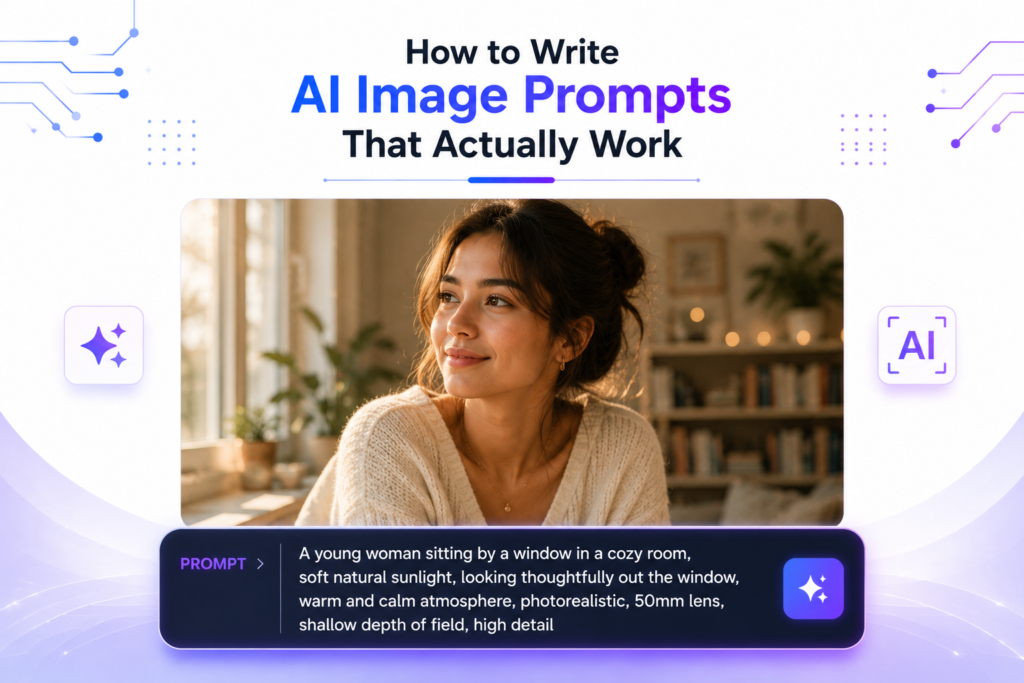
Type “a cat” into any AI image generator and you’ll probably get a usual and forgettable response. But type the right six or seven words instead, and the same tool can produce something genuinely beautiful and striking. The gap between bad and great AI images isn’t the tool — it’s the prompt. After spending weeks testing thousands of prompts across Midjourney, DALL-E, Leonardo, Flux, and Gemini, I’ve finally figured out what actually works in 2026. In this guide, I’ll share a simple repeatable structure, advanced techniques, tool-specific tips, common mistakes I made (so you don’t repeat them), and ready-to-use prompt templates. Let’s turn your AI images from average to impressive. Why Most Prompts Fail The biggest mistake I used to make (and most beginners still make) is writing prompts like I’m talking to a helpful person: “Please create a beautiful image of a cat sitting on a windowsill.” AI image models are not conversational. They are pattern-matching systems trained on millions of images and captions. They respond best to clear, descriptive language, not polite requests. Another common issue is being too vague. A short prompt like “a cat” or “forest” gives the AI too much freedom, so it produces safe, boring, generic results. I learned this the hard way after wasting hundreds of generations. The Core Prompt Structure (The 5-Part Formula) After testing thousands of prompts, I now follow this simple 5-part formula for almost every image I create. It consistently gives much better results across different tools. Weak Prompt: “fox, forest, autumn” Strong Prompt: “Photorealistic image of a beautiful red fox with fluffy fur and bright eyes walking towards the camera on a dirt path covered in fallen autumn leaves, dense misty forest with golden and orange trees in background, soft golden sunrise light breaking through the canopy, atmospheric fog, national geographic style, extremely detailed, sharp focus, cinematic lighting –ar 16:9” Breakdown of the Strong Prompt: See how each part builds on the previous one? The strong prompt gives the AI clear direction instead of leaving everything to guesswork. Advanced Techniques Negative Prompts Negative prompts are one of the most powerful but underused features in 2026. They tell the AI exactly what not to include in the image. This is especially useful in Midjourney, Leonardo AI, Stable Diffusion, and Flux. For example, you can add: “Don’t make it (blurry, low quality, deformed hands, extra fingers, watermark, text, oversaturated colors, cartoonish, ugly, bad anatomy)”. I use negative prompts almost every time because they dramatically reduce weird artifacts and low-quality results. It’s like giving the AI a checklist of things to avoid. Adding Text to Images Most AI image models still struggle with rendering text accurately. The best trick is to put the exact text you want in quotation marks, keep it short (under 25 characters), and describe the font style. Example: “bold white sans-serif text saying ‘2026 Vision’ on a futuristic glowing neon sign”. This method works much better than just writing the text normally. Reference Images & Consistency If you want the same character, face, or art style across multiple images, upload a reference image and clearly tell the model what to keep and what to change. Most modern tools (especially Midjourney and Leonardo) support this very well now. This technique is extremely useful for creating consistent characters for stories, branding, or social media content. Common Mistakes to Avoid Here are the mistakes I made a lot in the beginning (and still see many people making): 10 Copy-Paste Prompt Templates Here are ready-to-use templates you can copy and modify right now: Conclusion The secret to great AI images isn’t luck or constantly switching tools — it’s learning how to write better prompts. Use the 5-part structure, iterate on your results, and you’ll see massive improvement very quickly. Start simple. Take one template above, modify it for your needs, and generate a few variations. The more you practice, the better you’ll get at speaking the AI’s language. Not sure which image generation tool to use? Check out our full breakdown of the Best AI Image Generation Tools in 2026. Which prompt are you going to try first? Share it in the comments — I’d love to see what you create! Frequently Asked Questions – FAQs